Show each target the customer logos they will recognize
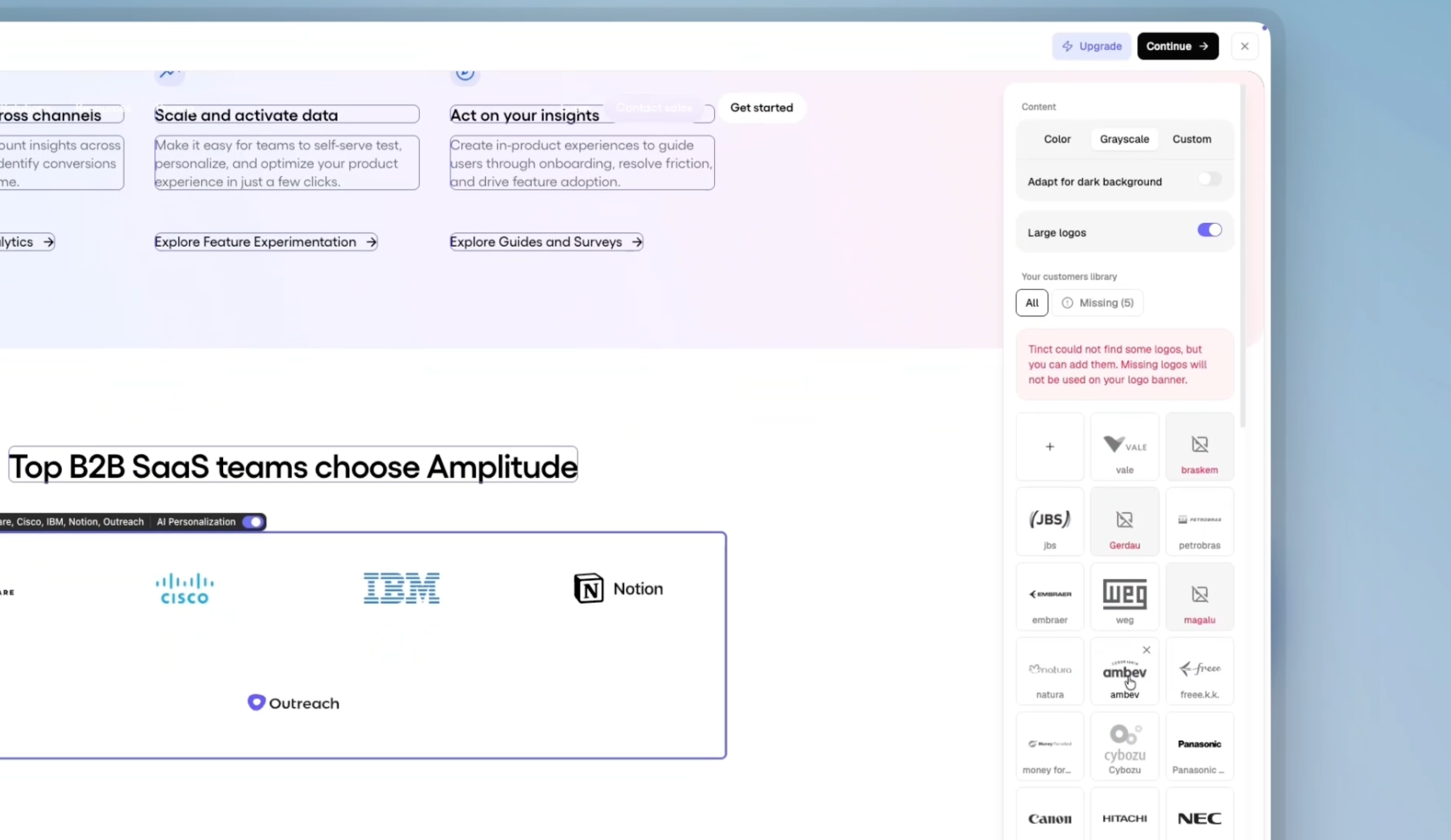
For any page with a logo wall. Configured from the logo block in the Studio.
Your logo wall is the same for everyone. A fintech in Berlin lands on your page and sees the US retailers you are proud of, none of which tells them you understand their world.
Import your customers once.
Select your logo block in the Studio and click "Add customers".
Bring them from a CSV (up to 1,000 companies), pick them from the companies Tinct already knows, or pull a list from HubSpot, Salesforce or Attio.
Tinct fetches each logo in color, greyscale, light and dark versions.
Not happy with one? Upload your own (PNG or SVG, 512 px minimum).
Tinct picks the logos for each account.
For every target account page, Tinct ranks your library on three signals:
the industry
the notoriety
the geographical area
A well-known brand travels everywhere; a small local one stays with visitors from its region, and more so in consumer or regulated industries.
It stays your design.
Tinct fills the slots your logo row already has, at the sizes your design uses, and keeps your carousel animation running. Choose Color, Grayscale or a Custom fill color (white logos on a dark section, for instance), tick "Adapt for dark background" or "Large logos". Tinct pre-selects these from what it sees on your page. The banner reflows on its own: one row on desktop, a four-column grid on tablet, two columns on phone.
And it stays in sync.
Remove a customer from the library and every page still showing it is marked Outdated and regenerated. Publishing waits until an import has finished. You can hand-pick the logos of any single page from its sidebar, and a page with no customer selected keeps its original logos.
Available now on every new campaign where Tinct identified a customer logo row. The library is shared across the campaigns of a workspace, so import once.